Best Apps for Supporting IFR Training in 2026

Tobias Maihoff
March 12, 2026
Getting your instrument rating — or staying sharp after you earn it — takes more than textbook study and expensive sim time. The right apps can turn dead time into productive training, help you stay organized, and fill gaps that traditional methods miss.
Here are our top picks across six categories that every IFR pilot (or student) should have on their phone in 2026.
1. IFR Procedure Simulator — IFR Flight Simulator
Platform: iOS & Android Price: $9.99/month or $59.99/year
If there's one app that earns a permanent spot on your home screen during instrument training, it's IFR Flight Simulator.
Unlike generic flight sims, this app is purpose-built for IFR procedural training. It covers the skills that trip up students most — holding patterns, radial intercepts, wind correction angles, and approach procedures — with an interface modeled after real cockpit instruments.
What sets it apart:
- 6,202 real-world airports with actual approach procedures (ILS, VOR, NDB, RNAV)
- Dedicated holding pattern trainer — practice entries, timing, and wind correction until they're automatic
- Radial intercept trainer — build the mental math and scan habits you need
- Rotary-encoder controls modeled after real cockpit knobs
- Flight history with needle overlay — replay your flight path and see exactly where your scan drifted
- Fast-forward mode — skip the cruise segments and focus on the procedures
- 100% offline — practice on the train, at the gate, or anywhere without Wi-Fi
With 290,000+ downloads and a 4.5-star rating, it's the go-to tool for pilots at every stage — from ab-initio students to airline captains refreshing for screenings.
Download on the App Store · Get it on Google Play

2. Digital Logbook — OffBlock
Platform: iOS Price: Free with premium features
Paper logbooks work, but they don't calculate totals, flag currency, or sync across devices. OffBlock is a clean, well-designed digital logbook built specifically for pilots.
Why we like it:
- Automatic time calculations and currency tracking
- Easy import/export for backup and airline applications
- Clean, no-nonsense interface that doesn't try to do too much
- Night and instrument time tracking with category breakdowns
If you're building hours toward your IR, having a reliable logbook that shows your instrument time at a glance saves hassle when it's time to prove currency or apply to flight schools.

3. Weather Briefing — ForeFlight & Windy
ForeFlight
Platform: iOS Price: From $119.99/year
ForeFlight is the industry standard for flight planning and weather briefing in North America. For IFR pilots, its weather overlay and NOTAM integration are essential for pre-flight planning.
- METARs, TAFs, and prognostic charts in one view
- Graphical AIRMETs/SIGMETs overlaid on your route
- Integrated filing for IFR flight plans
Windy
Platform: iOS & Android Price: Free (premium available)
Windy gives you a global, visual weather picture that's invaluable for understanding the big picture before an IFR flight. The animated wind, precipitation, and cloud layers help you develop weather intuition that goes beyond reading a METAR.
- Radar, satellite, and model data in one app
- Layer overlays for wind at altitude, icing, and turbulence
- Free and works worldwide — great for European and international pilots

4. ATC Communication Practice — PlaneEnglish
Platform: iOS & Android Price: Free with in-app purchases
Radio communication is one of the most stressful parts of early IFR training. PlaneEnglish uses speech recognition to let you practice ATC calls and get feedback on your phraseology.
Why it's useful for IFR students:
- Practice IFR clearance readbacks (the ones that come at you like a fire hose)
- Approach, departure, and center communication scenarios
- Speech recognition grades your delivery and catches mistakes
- Build confidence before you key the mic for real

5. Aviation Charts & Plates — ForeFlight & SkyDemon
ForeFlight (again)
ForeFlight's Plates feature gives you geo-referenced approach plates with your aircraft position overlaid. During training, reviewing the plate on your phone before a session helps you chair-fly the approach.
SkyDemon
Platform: iOS & Android Price: From €119/year
SkyDemon is the European answer to ForeFlight, and it's excellent for VFR and IFR planning across EASA airspace. If you're training in Europe, it's likely already on your iPad.
- European airspace and regulatory integration
- Moving map with terrain and airspace warnings
- Approach plate viewer with georeferencing
6. Knowledge & Theory — Aviationexam & PrepWare
Aviationexam
Platform: Web, iOS & Android Price: From €49 per subject
The gold standard for EASA ATPL/IR theory prep. Aviationexam provides a massive question bank with explanations that help you actually understand the material, not just memorize answers.
- Thousands of questions per subject
- Detailed explanations for every answer
- Progress tracking and exam simulation mode
ASA PrepWare
Platform: iOS & Android Price: $9.99–$24.99 per test
For FAA-track pilots, PrepWare covers the IFR written exam with practice questions from the FAA knowledge test bank.
- Official FAA question bank
- Performance tracking by category
- Study mode and exam simulation
The Stack
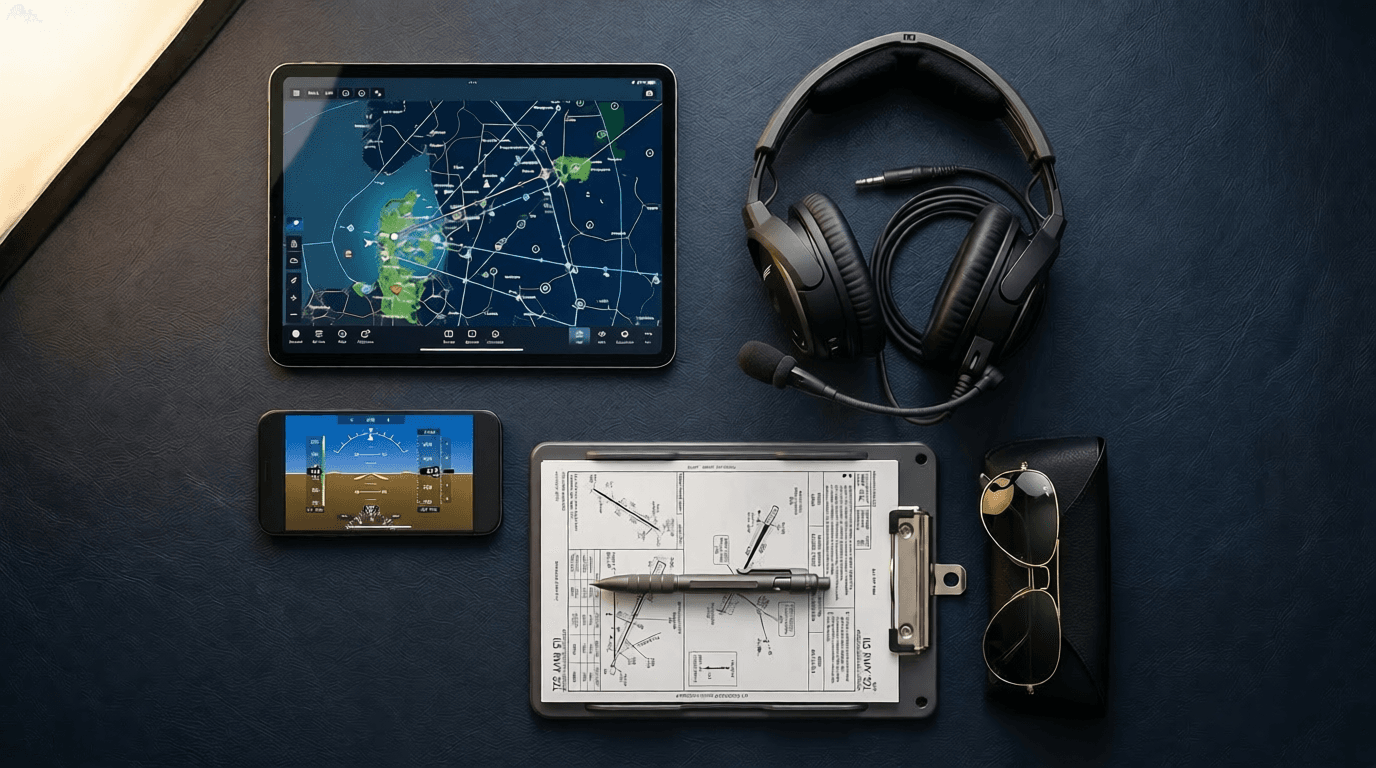
Here's what a well-equipped IFR student's phone might look like in 2026:
| Category | App | Use Case |
|---|---|---|
| Procedure Practice | IFR Flight Simulator | Holdings, intercepts, approaches |
| Logbook | OffBlock | Hours tracking, currency |
| Weather | ForeFlight + Windy | Briefing, planning |
| Radio Practice | PlaneEnglish | ATC communication |
| Charts & Plates | ForeFlight / SkyDemon | Approach plate review |
| Theory | Aviationexam / PrepWare | Written exam prep |

None of these apps replace actual flying or simulator time. But they let you show up to every session better prepared — and that means fewer hours wasted re-learning what you forgot, and more hours building real proficiency.
The most expensive hour in aviation is the one you waste because you weren't ready. These apps help make sure that doesn't happen.
Written by Tobias Maihoff — airline pilot and software engineer. I built IFR Flight Simulator because I believe IFR training doesn't have to be as painful or expensive as it often is. With the right preparation, student pilots can walk into every sim session and checkride confident and ready. That's what I'm trying to make easier.

Tobias Maihoff
March 12, 2026